
-
×InformationNeed Windows 11 help?Check documents on compatibility, FAQs, upgrade information and available fixes.
Windows 11 Support Center. -
-
×InformationNeed Windows 11 help?Check documents on compatibility, FAQs, upgrade information and available fixes.
Windows 11 Support Center. -
- HP Community
- Printers
- Scanning, Faxing, and Copying
- Losing Connection to Router

Create an account on the HP Community to personalize your profile and ask a question
Your account also allows you to connect with HP support faster, access a personal dashboard to manage all of your devices in one place, view warranty information, case status and more.
Common problems HP Solution Center not working : Adobe Flash Player Error and Unable to scan
We would like to share some of the most frequently asked questions about HP Solution Center not working : Adobe Flash Player Error and Unable to Scan.

It has been a while since anyone has replied. Simply ask a new question if you would like to start the discussion again.

07-08-2020 12:27 PM
 HP Recommended
Product: HP Envy Photo 7155
Printer keeps losing connection to the network when I try to scan documents. If I turn router off, then on again, it works. Or sometimes I have to restart my computer. This happens a lot.
21 REPLIES 21


07-08-2020 10:13 PM
HP Recommended
Hi,
Thanks for using the HP Support Community.
Can check this out"
What to do when Wifi keeps dropping?
https://www.youtube.com/watch?v=iyxpt6bi2OE
Why updating Firmware is important?
https://www.youtube.com/watch?v=GkLOiJFHAjU
Hope that helps!
I am an HP Employee. Although I am speaking for myself and not for HP.
Click Helpful = Yes to say Thank You.
Question / Concern Answered, Click "Accept as Solution"

Click Helpful = Yes to say Thank You.
Question / Concern Answered, Click "Accept as Solution"

Click on the link to subscribe and get the latest video uploads: https://goo.gl/y4Rcn1 Remember to like and share the video if you know of friends that would find this useful. This tutorial shows what to do if you notice the wifi network keeps dropping. We show how to check and update the printer

Click on the link to subscribe and get the latest video uploads: https://goo.gl/y4Rcn1 This tutorial shows how to update the printer firmware on the HP OfficeJet 5230 AiO printer. The printer must first be connected to a network. Updating the printer firmware usually improves the printer's ...
07-10-2020 05:15 AM
HP Recommended
Hi @Dianehoch
Follow these Steps to update Firmware on your printer:
1. From control panel, Scroll down and tap on Setup (gear icon)
2. Scroll down until "Printer Maintenance"
3. Scroll until you see "Update the Printer"
Steps to disable IPV 6
1. From control panel, Scroll down and tap on Wireless icon
2. Tap on the Settings icon (Gear icon at bottom left)
3. Select "Wireless settings"
4. Scroll down until "Advanced Settings"
5. Disable IPV6 (turn it off)
Hope that helps!
I am an HP Employee. Although I am speaking for myself and not for HP.
Click Helpful = Yes to say Thank You.
Question / Concern Answered, Click "Accept as Solution"
Click Helpful = Yes to say Thank You.
Question / Concern Answered, Click "Accept as Solution"
07-15-2020 07:41 PM
HP Recommended
For Firmware update -- printer responded "no printer updates."
To disable IPV 6 -- I disabled the IPV 6. I went to scan a document and still get the same error message:
"The selected computer is not available. Make sure:
. The computer is turned on.
. The computer and printer are properly set up on the same network.
. The HP printer software installed on the computer is configured."
I had to power my router off and also the printer and then the network was re-established and I could scan my document. I have to do this almost every time I need to scan a document. I think I should just return this printer.
07-15-2020 11:39 PM
HP Recommended
Hi @Dianehoch
Try this to create a TCP/IP port.
This example will show you how:
https://www.youtube.com/watch?v=mtKU4wc76PY
Hope that helps.
Thanks.
I am an HP Employee. Although I am speaking for myself and not for HP.
Click Helpful = Yes to say Thank You.
Question / Concern Answered, Click "Accept as Solution"
Click Helpful = Yes to say Thank You.
Question / Concern Answered, Click "Accept as Solution"
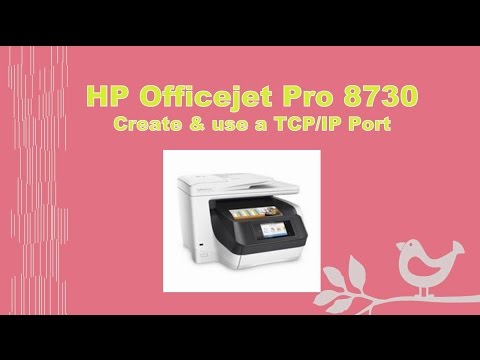
Click on the link to subscribe and get the latest video uploads: https://goo.gl/y4Rcn1 This tutorial shows you how to create and use a TCP/IP port. The TCP/IP port supports printing and scanning and is used when there are connectivity or Offline issues with the printer. The method to create the ...
07-17-2020 07:52 AM
HP Recommended
This did not help either. In fact right now I have the same error message when I try to scan a document. "The selected computer is not available. Make sure the computer is turned on, the computer & printer are properly set up on the same network, the HP printer software installed on the computer & configured." Yesterday, I got this error message and I backed off the software and reinstalled the printer software and finally got the scan to work. Today I'm back to the same issue but now unplugging the router doesn't even help. I can't get it to scan at all.
07-17-2020 08:34 AM
HP Recommended
Hi @Dianehoch
What's the brand of the router you're using?
How far is the router from your PC and printer?
Do you use any wifi extender or the printer is just the router alone (no extender)
Have you tried using HP Smart app to scan? HP Smart can be downloaded from Microsoft store or if you are using a mobile phone, download from Play Store or Apple store. Add the printer to HP Smart and you'll be able to scan as well.
Do try it out and let us know.
Thanks.
I am an HP Employee. Although I am speaking for myself and not for HP.
Click Helpful = Yes to say Thank You.
Question / Concern Answered, Click "Accept as Solution"
Click Helpful = Yes to say Thank You.
Question / Concern Answered, Click "Accept as Solution"
07-17-2020 08:50 AM
HP Recommended
I use Optimum (Cablevision) for my cable company and their router which is an Arris. There is also an extender from Optimum. I had an HP 5520 prior to this and also had scan issues but if I turned printer on/off I was good to go. Just now I restarted my printer and now the scan works.
The printer is sitting right next to the router and the extender. We have an extender as my son uses his computer in the basement and they installed this so he could get service.
No, I have not tried using HP smart app to scan on my phone. I will try that.

Be alert for scammers posting fake support phone numbers and/or email addresses on the community.
If you think you have received a fake HP Support message, please report it to us by clicking on "Flag Post".
† The opinions expressed above are the personal opinions of the authors, not of HP. By using this site, you accept the Terms of Use and Rules of Participation.


Didn't find what you were looking for?
Ask the community
† The opinions expressed above are the personal opinions of the authors, not of HP. By using this site, you accept the <a href="https://www8.hp.com/us/en/terms-of-use.html" class="udrlinesmall">Terms of Use</a> and <a href="/t5/custom/page/page-id/hp.rulespage" class="udrlinesmall"> Rules of Participation</a>.