-
×InformationNeed Windows 11 help?Check documents on compatibility, FAQs, upgrade information and available fixes.
Windows 11 Support Center. -

-
×InformationNeed Windows 11 help?Check documents on compatibility, FAQs, upgrade information and available fixes.
Windows 11 Support Center. -
- HP Community
- Printers
- Scanning, Faxing, and Copying
- Re: Wstack HP Solution Centre

Create an account on the HP Community to personalize your profile and ask a question
10-01-2021 04:03 AM
Hi Wstack,
Seen several posts from you with some good information, so thought I would try to reach out to you for some further advice please.
I have been running successfully the solution centre for 7 years on my old HP Probook and is still running today, although at this age the laptop is beginning to fail, so I bought a new Elitebook last week.
I have tried several possible solutions including
HP Scan Extended
HP Scan and Capture
HP Smart
HP Print and Scan Doctor
All fail to find my connected scanner, printer is no problem.
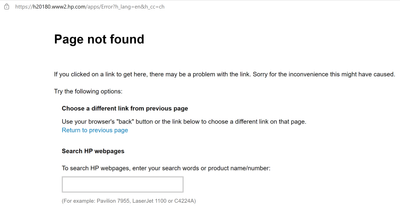
I've even copied over the Solution Centre files, but of course due to the Adobe Flash issues it doesn't work. The suggested solution gets to a page not found error 😞
How is it that It is working fine on my old laptop and not my new one, both are running Windows 10 Pro? Allbeit the old one was rebuilt from W8 which I guess may make a difference?
Looking forward to your further advice.
10-02-2021 12:13 PM
Hi,
Try following the HP Print and Scan Doctor Utility, restart your PC if being prompt to and check if you may then able to scan:
https://ftp.hp.com/pub/printers/hppsdr/HPPSdr.exe
If it doesn't help, what exact error or behavior occurs when following the utility by selecting Fix Scanning?
Shlomi
Click the Yes button to reply that the response was helpful or to say thanks.
If my post resolve your problem please mark it as an Accepted Solution 🙂
10-22-2021 02:05 AM
Hi Shlomil,
I have followed your link for Print and Scan doctor, as I did before with the same result
In step 2 of the trouble shooter there is a link to download the relevant software, but this takes me to a page not found error as here.
So how can I transfer the files from my old laptop so that I can continue to use the HP All-in-One Solution centre software please?
I think this is quite clear to me now that HP are not looking to resolve this issue.
Looking forward to your further advice.
Kind regards,
Steve.