Webcam Not Working? Advanced Fixes for HP Notebooks! Click here to view the instructions!
Create an account on the HP Community to personalize your profile and ask a question
Your account also allows you to connect with HP support faster, access a personal dashboard to manage all of your devices in one place, view warranty information, case status and more.
We would like to share some of the most frequently asked questions about: Battery Reports, Hold a charge, Test and Calibrating Battery . Check out this link: Is your notebook plugged in and not charging?
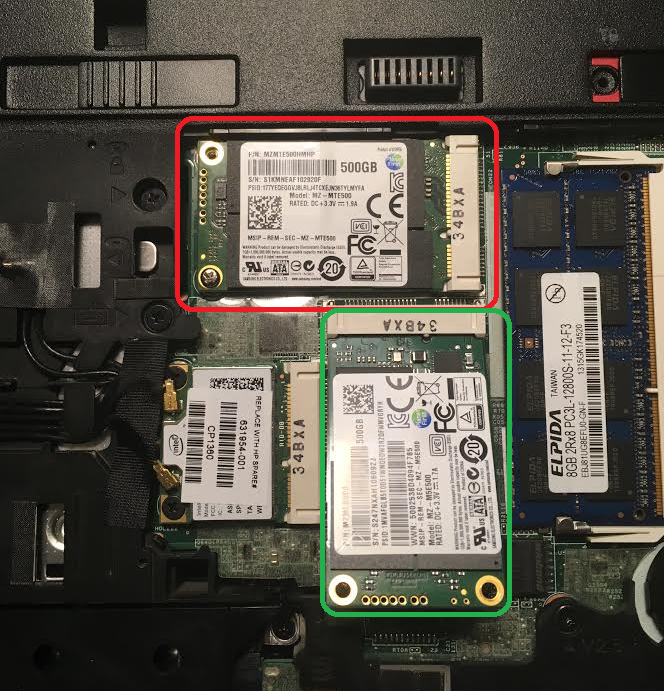
I have a EliteBook 8570w using a default HHD and a purchased SSD 500GB in one of the two existing slots. Recently I bought a second SSD for the second available slot, but I don't manage to have it working (I place the SSD in the slot and all fits well, but system does not recognize it).
Things I tried so far without success:
- Diskpart, miniTool Partition, Samsung Magician
- swap the old SSD with the new one. New starts working while old stops working (which to my eyes points out to a slot issue)
- Attached, pic with the working SSD slot (green) and not working slot (red) - independently if I change the SSDs
is this not working by design? Is there a place where I have to turn it on? Is there something one can do about it?