Webcam Not Working? Advanced Fixes for HP Notebooks! Click here to view the instructions!
Create an account on the HP Community to personalize your profile and ask a question
Your account also allows you to connect with HP support faster, access a personal dashboard to manage all of your devices in one place, view warranty information, case status and more.
We would like to share some of the most frequently asked questions about: Battery Reports, Hold a charge, Test and Calibrating Battery . Check out this link: Is your notebook plugged in and not charging?
Product: HP 15.6 inch Laptop PC 15-d5000 (4V9X9AV)
Operating System: Microsoft Windows 11
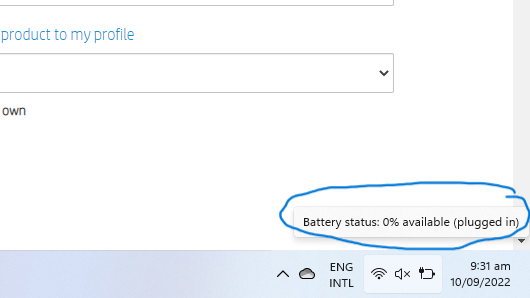
I just bought the HP 15s-fq5000nia. I am unable to solve the problem of 0% available (plugged in) battery problem. I tried reinstalling bios from the official hp driver website using the product HP 15.6 inch Laptop PC 15-d5000 (since my hp support assistant recognizes it as this and also the fq5000nia is not showing up in the products on hp driver website.
I am using Windows 11 21H2 64bit. My laptop has non-removable battery so can't perform the static electricity removal trick of removing battery and pressing power button for 15secs.
I also tried to update and uninstall battery driver, but when I tried to do scan for hardware changes, my laptop shut down.
I performed hp pc diagnostic on battery and the result came out cancelled. I am attaching diagnosis results of bios here.
I did another battery check using cmd and the commands and results are attached below.
I am unable to upload the html file generated here.
Kindly help me. I am really exhausted and disappointed after buying a brand new laptop and getting into such a mess. Thanks and regards,