
-
×InformationNeed Windows 11 help?Check documents on compatibility, FAQs, upgrade information and available fixes.
Windows 11 Support Center. -
-
×InformationNeed Windows 11 help?Check documents on compatibility, FAQs, upgrade information and available fixes.
Windows 11 Support Center. -
- HP Community
- Notebooks
- Notebook Hardware and Upgrade Questions
- HP Spectre Notebook bluetooth stopped working.

Create an account on the HP Community to personalize your profile and ask a question
Your account also allows you to connect with HP support faster, access a personal dashboard to manage all of your devices in one place, view warranty information, case status and more.
Common problems for Battery
We would like to share some of the most frequently asked questions about: Battery Reports, Hold a charge, Test and Calibrating Battery . Check out this link: Is your notebook plugged in and not charging?

It has been a while since anyone has replied. Simply ask a new question if you would like to start the discussion again.

02-10-2018 08:42 AM
 HP Recommended
Product: HP Spectre Notebook
Operating System: Microsoft Windows 10 (64-bit)
Bluetooth suddenly stopped working on my HP Spectre Notebook and no longer seems to be supported by the device.
I've been using my hp bluetooth mouse without trouble since purchasing the notebook last year, but suddenly today, it stopped working.
There is no Bluetooth node in device manager.
There is no Bluetooth tile in the action centre.
There is no switch to enable Bluetooth in the Bluetooth system settings.
Using the HP recovery utility I reinstalled all INTEL drivers.
Using Windows Update Manager I confirmed that all Windows updates are up to date. Updates install automatically.
Using HP Support Assistant I confirmed that all HP drivers are up to date.
I updated the BIOS.
I suspect that an update has broken Bluetooth support on the notebook.
Is there a known solution to this problem? How do I fix it?
Intel(R) Core(TM) i7-6500U CPU @ 2.50GHz
Product Number: W0J17PA#ABG
BIOS F.36
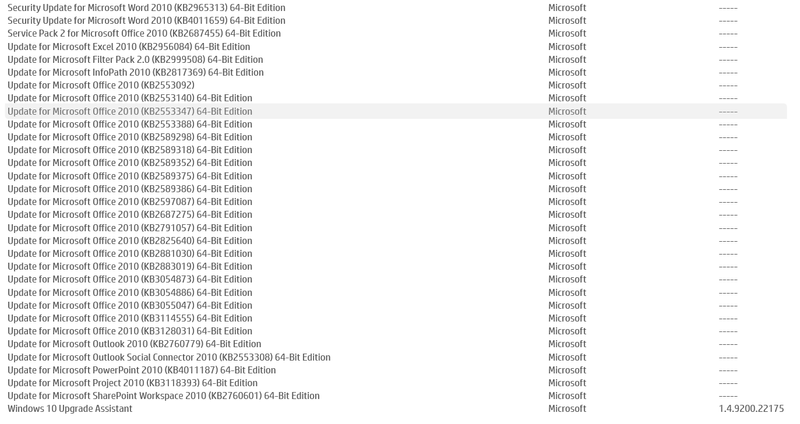
Software Installed:
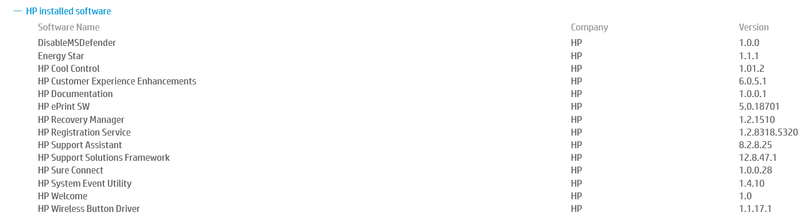
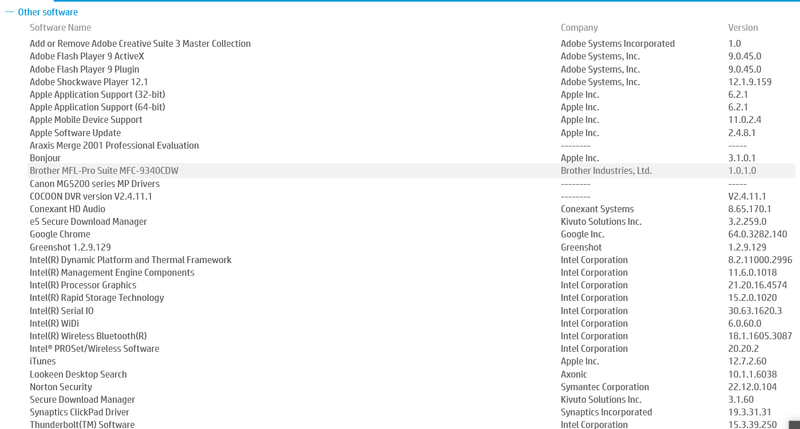
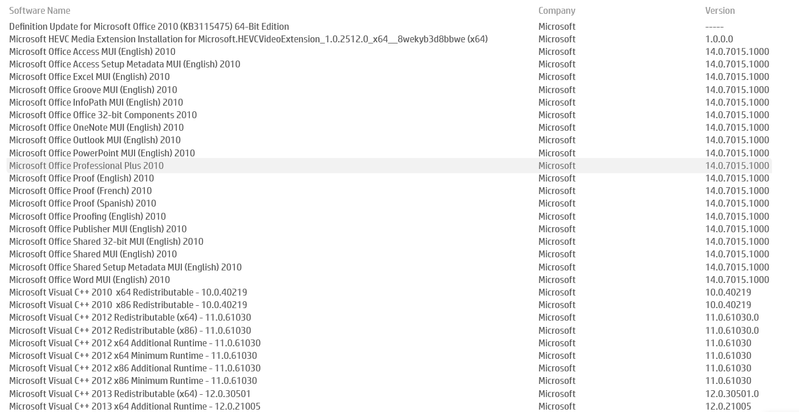
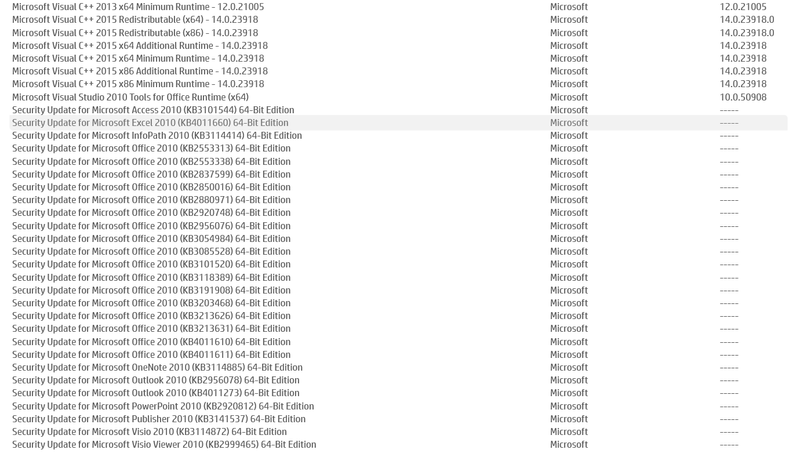
41 REPLIES 41

02-10-2018 11:30 AM
HP Recommended
Hi Andyb007,
Did you recently update Windows and notice that Bluetooth had stopped working or did it just randomly occur?
When you mean "There is no Bluetooth node in device manager," do you mean you're completely unable to find it anywhere in device manager? Try this: go to the View tab of device manager and hit "Show hidden devices."
Then literally try expanding everything. Sometimes Bluetooth seems to be hidden in other areas. If you are able to find it, right click > Update Driver > Search Automatically.
You can also try to view the devices by connection and see if it makes searching easier.
An update may have broken Bluetooth but I do want to kindly direct you to the Notebook Wireless and Networking where you may get better help.
Regards,
kem579
I used to be an HP Expert. I no longer participate in this community.
02-10-2018 03:25 PM
HP Recommended
Hi Kem579 and thank you for your help. Please see my responses below.
Did you recently update Windows and notice that Bluetooth had stopped working or did it just randomly occur?
Andyb007>> Yes, there were Windows updates after which it stopped working. I've tried uninstalling them but to no avail.
When you mean "There is no Bluetooth node in device manager," do you mean you're completely unable to find it anywhere in device manager? Try this: go to the View tab of device manager and hit "Show hidden devices."
Andyb007>> I've checked the various views etc and it's just not there. It should be directly between Batteries and Camera but it's not there. It's as if Bluetooth has become disabled at a very low driver level and now as far as Windows is concerned, the machine is not Bluetooth capable.
Then literally try expanding everything. Sometimes Bluetooth seems to be hidden in other areas. If you are able to find it, right click > Update Driver > Search Automatically.
You can also try to view the devices by connection and see if it makes searching easier.
An update may have broken Bluetooth but I do want to kindly direct you to the Notebook Wireless and Networking where you may get better help.
02-11-2018 04:58 AM
HP Recommended
I am experiencing the exact same problem. I have tried reinstalling Windows - it does not work. Also tried reinstalling the Bluetooth drivers - also does not work. Now in device manager, when I click "show hidden devices", the option for bluetooth does not even appear. Furthermore, the Bluetooth troubleshooter declares that there is no Bluetooth capability on my device, although this is clearly untrue.
02-11-2018 09:15 PM
HP Recommended
The below 2 updates installed yesterday on my HP X360 13-w0xx , broke my Bluetooth and WiFi. Had to run windows restore previous point to fix.
Happened 2x, and 2x i had to restore.
Auto updates now off until is fixed
Offenders :
Intel Corporation - Bluetooth 20.20.0.5
Intel - net 20.20.2.2
02-11-2018 09:24 PM
HP Recommended
I restored also and it fixed it for a while, but then the upater just installed the update and broke it again. Subsequent attempts to restore didn't fix it.
I phoned HP support today and they resolved it over a remote desktop session.
From the HP Recovery Manager they reinstalled the "Intel Bluetooth Driver for Windows 10" version 18.1.1605.3087. After a reboot the problem was resolved.
The HP Recover Manage should have a shortcut in the Windows menu.
02-11-2018 09:27 PM
HP Recommended
Hmmm...
Intel should be quickly informed of this issue or many people may find that their Bluetooth is broken.
Well I'm glad you were all able to resolve the issue.
Regards,
kem579
I used to be an HP Expert. I no longer participate in this community.
02-11-2018 09:34 PM
HP Recommended
I had the same problem and system restore wouldn't work for me. Instead, I downloaded the wireless adapter and bluetooth drivers from the HP page. Then I uninstalled the network adapter. I had to reboot and then install the wireless adapter and then reboot and install the bluetooth adapter.
You can exclude certain driver updates from Windows Update - I guess I'll go and try to remember how to do that now.

Be alert for scammers posting fake support phone numbers and/or email addresses on the community.
If you think you have received a fake HP Support message, please report it to us by clicking on "Flag Post".
† The opinions expressed above are the personal opinions of the authors, not of HP. By using this site, you accept the Terms of Use and Rules of Participation.


Didn't find what you were looking for?
Ask the community
† The opinions expressed above are the personal opinions of the authors, not of HP. By using this site, you accept the <a href="https://www8.hp.com/us/en/terms-of-use.html" class="udrlinesmall">Terms of Use</a> and <a href="/t5/custom/page/page-id/hp.rulespage" class="udrlinesmall"> Rules of Participation</a>.