-
×InformationNeed Windows 11 help?Check documents on compatibility, FAQs, upgrade information and available fixes.
Windows 11 Support Center. -

-
×InformationNeed Windows 11 help?Check documents on compatibility, FAQs, upgrade information and available fixes.
Windows 11 Support Center. -
- HP Community
- Notebooks
- Notebook Hardware and Upgrade Questions
- IR Camera not working

Create an account on the HP Community to personalize your profile and ask a question
09-17-2019 10:41 PM
09-20-2019 06:37 PM
Welcome to HP support community.
To resolve this issue, download and install the following SoftPaq: SP71801 file download
Let me know if that helps.
To thank me for my efforts to help you, please mark my post as an accepted solution so that it benefits several others.
Cheers.
Sandytechy20
I am an HP Employee
09-20-2019 07:07 PM
Camera is not getting detected, run an extensive hardware test to identify if this is a hardware issue.
Run Extensive system test to check for hardware failures.
1. Hold the power button for at least five seconds to turn off the computer.
2. Turn on the computer and immediately press Esc repeatedly, about once every second. When the menu appears, press the F2 key.
3. On the HP PC Hardware Diagnostics (UEFI) main menu, click System Tests.
4. Click Extensive Test.
5. Click Run once, or Loop until error. While the test is running, the time remaining and test result for each component are shown on the screen.
I hope that helps.
To thank me for my efforts to help you, please mark my post as an accepted solution so that it benefits several others.
Cheers.
Sandytechy20
I am an HP Employee
09-20-2019 07:47 PM
Thanks for the info.
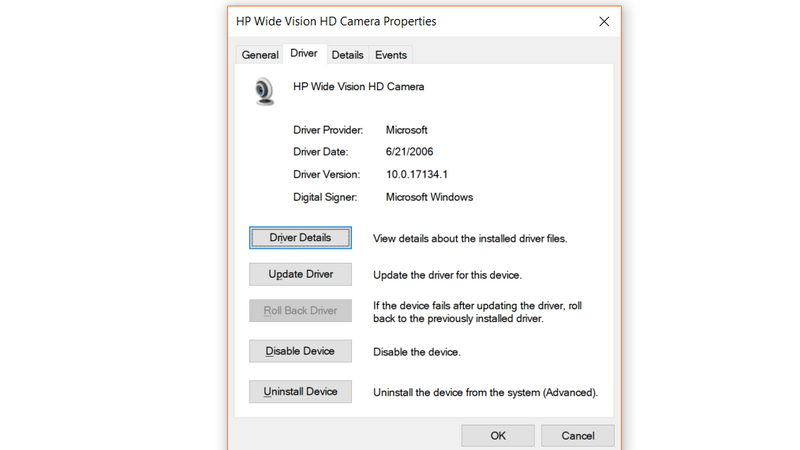
I run an hardware check and was successful; I then start windows and then proceed to driver manager, I click on scan hardware changes, then the camera is showing as HP HD CAMERA. the camera app can now identify it, but the PC doesn't see it as an IR camera thus Windows Hello wasn't available. I've investigate myself, i found that that driver was the pre-installed driver by Microsoft.
so I think i need the real driver for the Camera
09-21-2019 06:36 PM
This might require remote access of the computer to fix this issue.
I request you to talk to HP support.
They might have multiple options to help you with this.
- Click on this link - https://support.hp.com/us-en/contact-hp?openCLC=true
- Select the country.
- Enter the serial of your device.
- Select the country from the drop-down.
- Click on "Show Options".
- Fill the web-form. A case number and phone number will now populate for you.
To thank me for my efforts to help you, please mark my post as an accepted solution so that it benefits several others.
Cheers.
Sandytechy20
I am an HP Employee