• ×
    Information
    Need Windows 11 help?
    Check documents on compatibility, FAQs, upgrade information and available fixes.
    Windows 11 Support Center.
  • post a message
  • ×
    Information
    Need Windows 11 help?
    Check documents on compatibility, FAQs, upgrade information and available fixes.
    Windows 11 Support Center.
  • post a message
Guidelines
Here is the solution for Blue screen error 83C0000B on HP OfficeJet Pro 8010e, 9020e Printer Series: Click here to view.
Check some of the most frequent questions about Instant Ink: HP INSTANT INK, HP+ PLANS: INK AND TONER.


Check out our Black or Color Ink Not Printing, Other Print Quality Issues info about: Print quality and Cartridge Issues.
HP Recommended

I am trying to install an HP ENVY 5661 printer on my Windows 10 laptop.  I am installing this over a wireless network, which I am connected to. 


I have encountered nothing but problems.  I have installed and uninstalled it several times.  Sometimes it will not install correctly, sometimes it claims it has installed but will not print.  I have tried the full-featured software, the basic drivers, the HP Smart app, and using the HP Print and Scan Doctor all several times.  I have gone through the entire "accepted answer" on this thread https://h30434.www3.hp.com/t5/HP-Connected-Mobile-Printing-and-Cloud-Printing/HP-Envy-5640-configura... without any success.


The printer is now "installed" on my machine.  I say it with quotes because even though the installation told me "Congratulations" In big friendly letters, and it shows as successfully installed in Windows, and I can submit a test page which goes into the print queue, it never actually prints anything, ever, from my computer.  


When the HP print dialog comes up for printing a document, I receive the error "your printer has experienced an unexpected configuration problem 0x80004005", which is what led me to the above linked solution, which did not work for me.


Here's why this is so frustrating: my wife can print from her laptop to the printer with no problems whatsoever.  My computer can see the printer on the network, can view it's queue, can open the management page, and basically do everything except  print.  Why?  Can anyone help me?

2 REPLIES 2
HP Recommended

@AShellenbarger,


Thanks for reaching out to the HP Support community!

  • Is there any security software or antivirus installed on your PC?


Please check if you can access the EWS page of the printer.

  • On the printer control panel, touch the icon. Obtain the IP address of the printer.
  • Open a Web browser(like google chrome, Firefox, Microsoft Edge, etc.)
  • On the address bar, type the IP address of the printer and hit Enter


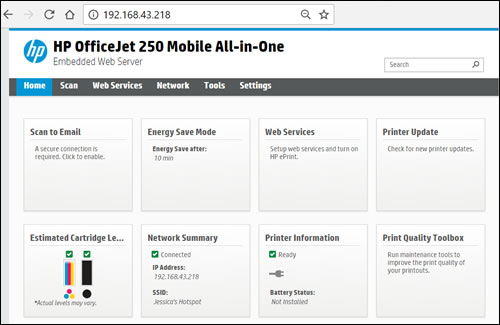
  • Below is the example of a printer EWS page.


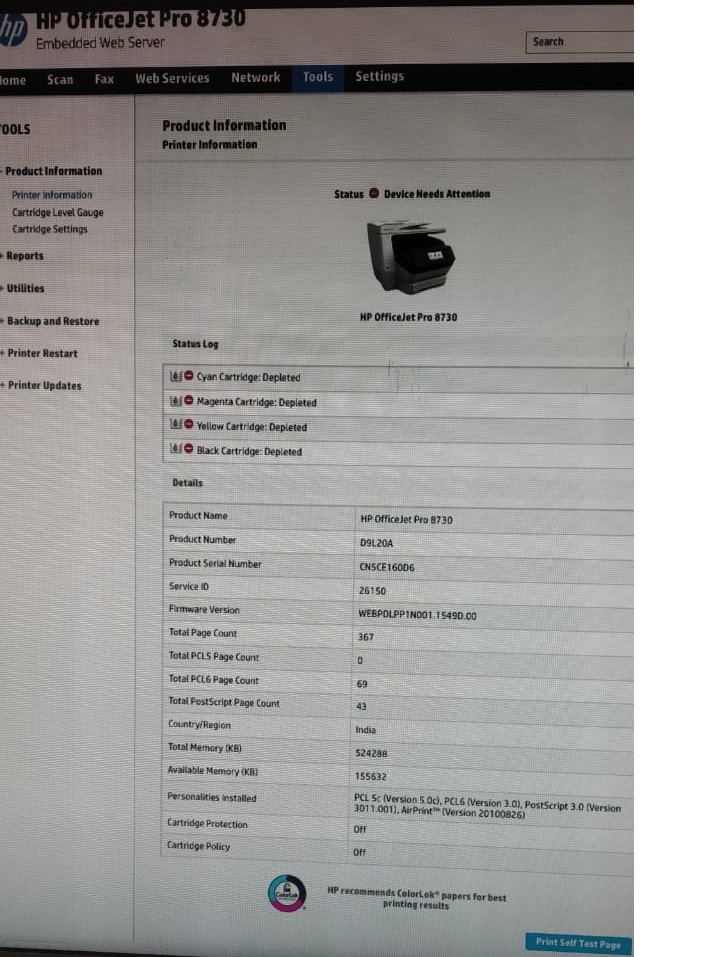
  • If you can access the EWS page, try printing a Self Test Report
    • Go to the Tools menu and select Print Self Test Page


Let me know what happens.

Cheers!


ATHARVA_GP
I am an HP Employee

HP Recommended

Hello @Atharva_gp - I apologize for not getting back to this sooner. 

Yes, I have Norton AntiVirus installed.  

Yes, I can reach the EWS page and successfully print a self-test report from there.  I can reach that page either by the LAN IP address or by the hostname alias.


I still cannot print directly from any app including Adobe Acrobat, any of the Microsoft Office applications, or even Notepad.

† The opinions expressed above are the personal opinions of the authors, not of HP. By using this site, you accept the <a href="https://www8.hp.com/us/en/terms-of-use.html" class="udrlinesmall">Terms of Use</a> and <a href="/t5/custom/page/page-id/hp.rulespage" class="udrlinesmall"> Rules of Participation</a>.